| | How does the check void date affect the Bank Reconciliation? |
| Resolution | Void date is in a month after the check date | DATE | ACTION | | 06/30/2024 | Check #123 posted using the 06/30/2024 date | | 07/01/2024 | Check #123 voided using the 07/01/2024 date | | 06/30/2024 | Bank reconciliation uses the 06/30/2024 date | ▼ How the void date affects the bank reconciliation ▼ To reconcile your bank statement Option 1: Make a pencil note - Make a pencil note regarding the issue, noting that the issue will clear itself in the following month.
Option 2: Paper audit trail of the transaction Post a bank transaction to represent the original check - Select CM, Transactions, Enter Bank Transactions.
- For Transaction Type, select Charge.
- Enter the Amount of the original check.
- Enter a Description that’s easy to identify.
- Use the Date of the original check.
- UNCHECK the Post to GL checkbox.
- Post.
Post a bank transaction to represent the void - Select CM, Transactions, Enter Bank Transactions.
- For Transaction Type select Credit.
- Enter the Amount of the original check.
- Enter a Description that’s easy to identify.
- Use the Date of the VOID.
- UNCHECK the Post to GL.
- Select Post.
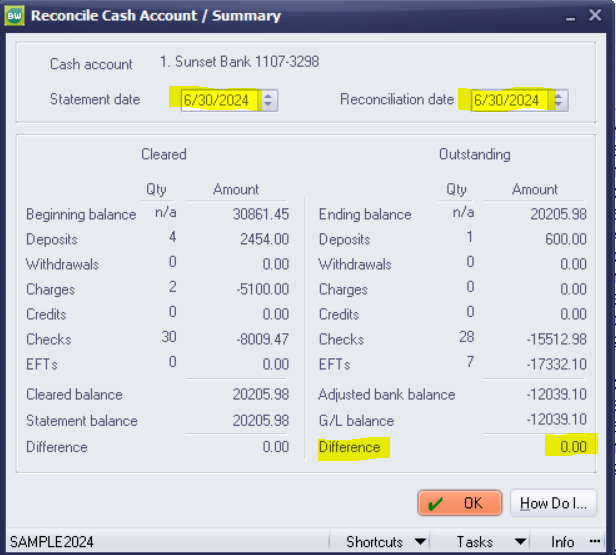
Clear the transactions in your bank reconciliation - In the June bank reconciliation, DO NOT clear the charge. Your bank reconciliation will still be in balance with your bank and will also balance to GL.
- In the July bank reconciliation, CLEAR both the charge and the credit together. This will offset the check and void to stay in balance.
[BCB:163:Chat BusinessWorks US:ECB] |
|