| | What's new in Sage BusinessWorks 2024 |
| Description |
- Sage Ally - AI Assistant (Beta): Provides quick answers to questions about processes, where to find features and tasks and how to perform tasks within Sage BusinessWorks
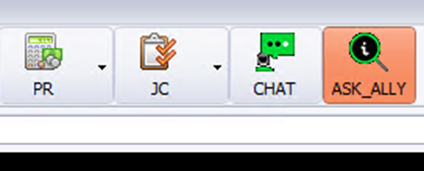
- Enhancements added based off your suggestions on the Sage BusinessWorks Idea site:
- Added a Positive Pay report (this can be exported to Excel) to assist bank check reconciliation and avoid fraud. This can be found under CM, Reports, Positive Pay Report
- New 1099 forms added: You can now process 1099-DIV and 1099-INT forms
- The new form options can be found under AP, Vendors, Maintain Vendors, Other...
- This screen has been reorganized to include a drop down for vendor 1099 type (this allows for the selection of 1099-NEC, 1099-MISC, 1099-DIV or 1099-INT
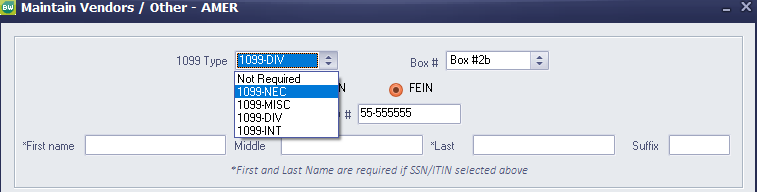
- First and Last Name are now required if you are using a SSN/ITIN for 1099 processing. This will prevent issues with 1099 processing at year-end
- The General Ledger Trial Balance and Account Detail report new include the two-digit year
- The company name has been added to email subject lines in all modules
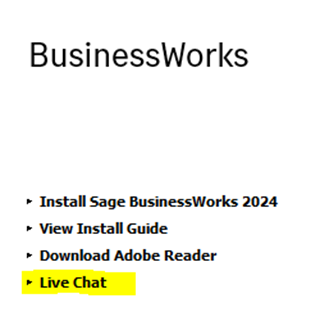
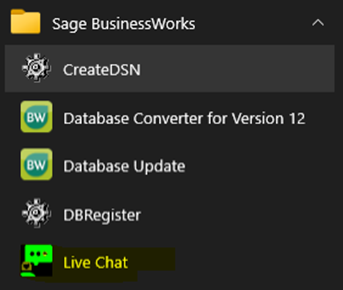
- Links to chat added to allow you access to chat when you can't launch the program
- Live Chat link is available during the installation process (on the install splash screen)
- Live Chat link is available on the Windows Start Menu (Start, Sage BusinessWorks, Live Chat)
- Help Menu updated for easier access
- Payroll check stubs:
- Total working hours and Available Sick Pay / Vacation Pay has been added to all Payroll Check Forms
- Six new payroll check forms have been added that display earnings detail from the time card and have been formatted to match state standards (where applicable)
- OE, Reports, Part Sales by Customer menu item has been renamed to OE, Reports, Part Sales Reports
- The existing Part Sales by customer report has been updated to include extended price and a hyperlink to the invoice
- Part Sales by Product Line and Part Sales by Ship to State reports are now available under OE, Reports, Part Sales Reports
- Company portion of the payroll taxes now display on the PR, Reports, Payroll Register (OASDI, Medicare, FUTA and State SUI)
- Backup now displays a message when a backup was previously made to a network location

- If Yes is selected the backup will continue and the default location will be reset to C:\Users\[User ID]\Documents. You can select a new path if desired
- If No is selected the backup will scan your network locations and may cause a significant delay in the backup process
|
|