| | Reprint a customer payment receipt |
| Resolution | Reprint a payment receipt - Select AR, Customers, Customer Inquiry.
- Select the customer.
- Open the Transactions tab.
- Select the payment transaction.
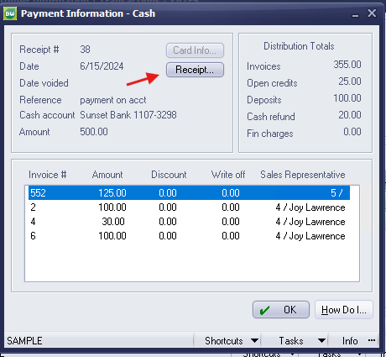
- Select the Receipt button to print or reprint the payment receipt.
 Additional information - Sage BusinessWorks stores a receipt number with each payment receipt.
- You can reprint receipts even if you disabled the receipt printing prompt during payment entry.
|
|