| | Print customer payment receipts |
| Resolution | Print receipts during payment entry - Select AR, Transactions, Post Receipts.
- Enter and post the customer payment.
- Respond to the prompt asking whether to print a receipt.
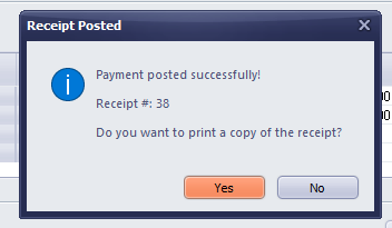 - The receipt will open in Notepad. Print the receipt if needed.
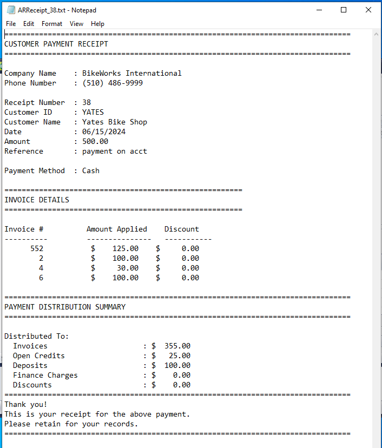 - Once the receipt is open, select File, Print to print the receipt. If you wish to email the receipt, copy the text and paste it into your email.
Disable the receipt prompt If you wish, you can disable the prompt to print a receipt. - Clearing this option only disables the prompt.
- You can still print receipts later.
Additional information - Sage BusinessWorks uses the payment receipt record number as the receipt number.
- Receipt numbers help track cash payments.
- The Sage BusinessWorks stores the receipt file in the data folder and supports customization if needed.
|
|