What is a Sage account, and how do I sign up?
Summary
Your Sage account allows you to log in to your products and services. You only need to remember one email address and one password to log in.
Resolution
Creating your Sage account
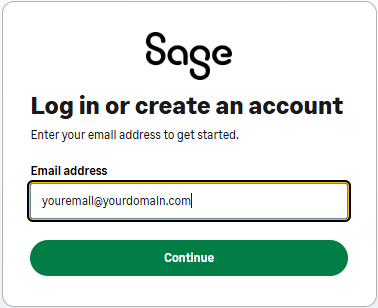
You can create an account from the login screen of an application or service, or by visiting https://account.sso.sage.com
- Enter your Email address and click Continue.
- Enter your First name, Last name and Password.
 NOTE: We use your email address to identify you and manage your Sage account security. We won't use it for marketing purposes. See how we use your details.
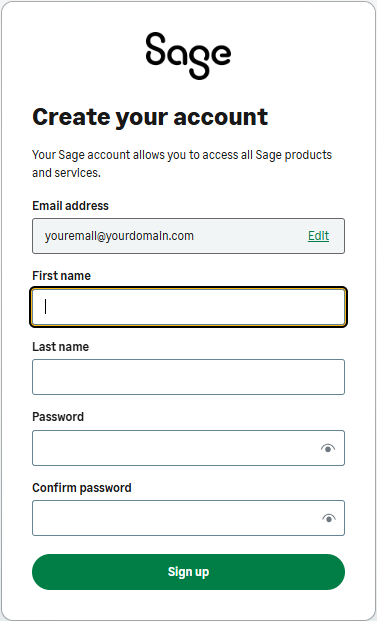
- Check your details are correct and click Sign up. You'll receive an email with a code to use to verify your email.
- Enter the 6-digit code on the verification code window and click Continue.
- If you don't receive a code straight away, check your spam or junk folders.
- Click Resend code to receive a new one. NOTE: Find out what to do if you’ve not received an activation or verification email.

For more answers to common questions and troubleshooting steps, see Sage account login information and Common 2-factor authentication (2FA) questions.
Need more help?
Solution Properties
- Solution ID
- 240701211245877
- Last Modified Date
- Tue Mar 11 15:25:46 UTC 2025
- Attributes
-
Product InformationTier: Lite
Tier: Lite50
Tier: NW
Tier: Prem
Tier: SFA50
Tier: SU
Version: 2026-0
Version: 2026-1
Version: 2027-0
Modules: CIP
Modules: Depr
Modules: Track
- Views
- 0