

Description
Cause
Resolution
 CAUTION: The following procedure requires in-depth knowledge of database engines for your Sage product, such as Microsoft SQL Server, Pervasive SQL, and MySQL. Sage can't assist with database administration and isn't responsible for errors resulting from database changes. Back up your system and application databases required for a complete restore. Consider contacting a certified consultant or your database administrator for assistance.
About the Estimating Management Console
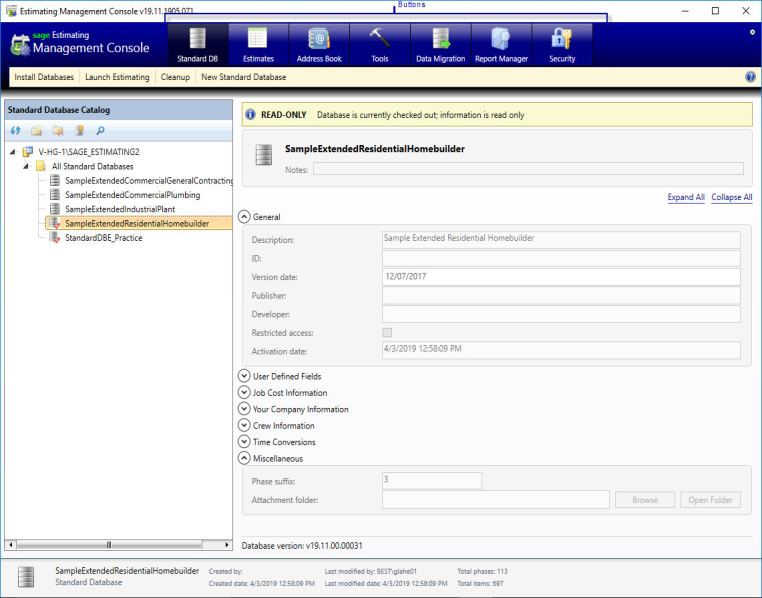
The Estimating Management Console (EMC) provides a central resource for managing your standard databases and estimates and your Sage Estimating roles and permissions. You can also use the EMC to perform data migration.
The EMC features are accessed by clicking one of the primary buttons at the top of the window.
Sage Estimating Database Installer window (SQL)
Introduction to the Estimating Management Console (SQL)
Setting Up Sage Estimating Security (SQL)
Managing standard databases
Using the Standard Databases window to manage standard item databases (SQL)
Managing Estimate Databases and Estimates (SQL)
Maintaining and Safeguarding Your Data
Using Tools for maintenance tasks (SQL)
How do I merge a Sage Estimating Standard Databases? (SQL)
How do I make a copy of a standard database (SQL)
Managing Estimate Reports
Learning about Report Manager (SQL)
 Africa
 Asia
Asia Australia
 Canada
 France
 Ireland
 Kenya
Kenya Nigeria
 Portugal
 South Africa
 Spain
Spain United Arab Emirates
 United Kingdom
 Germany